

You need one app that works well on both iOS and Android without doubling the engineering cost.
Service
Nearshore app development from platform decisions to post-launch support.
Build and maintain your iOS and Android app with a nearshore development team. We help you choose between native and cross-platform approaches, turn designs into working features, connect backend services, and prepare your app for store submission. Device testing and post-launch support are planned alongside development, with scope and responsibilities agreed for your project.
Mobile delivery flowActive
- Platform strategyNative vs. cross-platform decision
- 02Build sprintsUI, offline support, and APIs
- 03Device testingReal devices, not just simulators
- 04Store submissionApp Store and Play Store review
- 05Release supportUpdates and crash monitoring
On this page11 sections
- What this service helps you solve
- What our nearshore app development service includes
- Mobile applications shaped around your users
- A nearshore team aligned to your product goals
- How we engage: three nearshore models
- When to outsource mobile app development
- How we take your mobile app from planning to support
- Roles that may support this service
- Mobile app development results and resources
- Discovery
- Questions about this service
Why teams come to us
What this service helps you solve
A previous mobile build stalled at store submission, or was rejected and never resubmitted.
The app needs offline support, push notifications, or device features that a plain web app cannot deliver.
You have no visibility into crashes, performance, or usage once an app is live in the store.
Deliverables
What our nearshore app development service includes
Bring platform planning, mobile development, testing, and release preparation into one agreed scope. Your project can cover a new application, selected features in an existing product, or a focused modernization effort.
The starting point is the experience your users need: what they must accomplish, which devices they use, and what should happen when a connection drops or a permission is denied. From there, the scope connects screens and navigation with backend APIs, local storage, notifications, and device capabilities. Design handoff should include loading, empty, error, and recovery states so those decisions do not emerge as surprises during testing. For an existing app, the initial review also considers code quality, dependency health, release access, and the reliability of critical journeys. We agree which responsibilities sit with your team and which are part of the engagement, including design inputs, test accounts, store materials, and release approval. The result is a delivery plan tied to working user journeys and explicit acceptance criteria. Features, integrations, supported platforms, and ongoing maintenance are scoped for your product rather than assumed to fit every app.
Native vs. cross-platform architecture decisionCross-platform development (Flutter, React Native)Native iOS (Swift) and Android (Kotlin) developmentOffline support and local data storagePush notifications and device integrationsBackend and API integrationDevice and platform QA testingApp Store and Google Play submission and release
Mobile applications shaped around your users
The right architecture depends on the work the app must do. Start with the user journey, data, integrations, and operating conditions, then choose the platform approach that supports them.
Customer-facing mobile apps
Apps for customers need dependable onboarding, account access, navigation, and completion of the main task. Scope the experience around those journeys before adding secondary features. Consider how notifications, saved preferences, and interrupted sessions affect returning users. Backend behavior matters as much as the interface: an app needs understandable loading and recovery states when data is unavailable or a request fails.
Internal business and field apps
Internal apps should fit the conditions in which employees work, including limited connectivity, repeated tasks, and access to business systems. Planning needs to cover permissions, data capture, synchronization, and what users can do offline. Identify which records can be stored locally and how conflicting updates should be handled. The goal is a practical workflow that supports the people using it throughout their working day.
Marketplace and on-demand experiences
A marketplace or service app may connect several user roles, each with different actions and permissions. Map the journey from discovery and booking to status updates, cancellations, and support. Where transactions or third-party services are involved, define how the app responds to delays, duplicate actions, and failed requests. The mobile interface and backend need a shared understanding of each transaction state so users can see what happened and what to do next.
Device-integrated mobile experiences
Applications using cameras, location, notifications, or other device capabilities need an early check of platform behavior and integration constraints. Permissions, battery use, and differences between supported devices can influence both architecture and testing. Validate the most demanding integration before expanding the feature set. This helps determine which parts can share code and which require platform-specific implementation, while keeping the user experience understandable when a capability is unavailable.
Team model
A nearshore team aligned to your product goals
Start with the capabilities your product needs rather than a fixed roster of roles. A mobile developer builds the application, while backend engineering, QA, design, and technical leadership contribute according to the agreed scope. Your product owner brings priorities and business context; the delivery team turns those into implementation decisions and testable work. For a nearshore engagement, agree the working-hour overlap, meeting cadence, feedback channels, and decision owners before development begins. Use that shared time to resolve requirements, review demonstrations, and address dependencies with your existing team. Also establish who can approve changes, manage access, and authorize a release. Staffing and responsibilities should be revisited as the product moves from initial development into testing and maintenance. This keeps the team arrangement connected to the work ahead and makes handoffs easier to understand.
How we engage: three nearshore models
Decision guide
When to outsource mobile app development
Mobile app development outsourcing works best when you can define the product outcome and identify the capacity or expertise your team is missing. These are common starting points for a nearshore engagement.
You need mobile delivery capacity
Your product team may understand its customers and own the roadmap while lacking the capacity to deliver a mobile app. An external team can take on a defined scope or work alongside existing engineers. Before choosing the arrangement, identify who owns design, backend changes, acceptance testing, and product decisions. A nearshore setup can make collaboration easier when working hours overlap, but the overlap and communication habits still need to be agreed. Start with a prioritized release scope and a clear feedback process so additional capacity translates into useful progress.
An existing app needs modernization
Slow releases, difficult upgrades, or fragile integrations can make an existing app expensive to maintain. Begin with an assessment of the current codebase, dependencies, test coverage, and release process. The right plan may be incremental improvements rather than a full rewrite. If a migration is justified, account for feature parity, stored data, backend compatibility, and how existing users will move to the new version. Compare that effort with the value of keeping the current platform. Changing frameworks is a technical decision that should serve a product need, not become the project goal.
Release quality needs clear ownership
A release can involve separate people for development, testing, store administration, and support. When those responsibilities are unclear, defects and submission issues can circulate without an owner. Define the critical user journeys, required device coverage, release checks, and escalation path before the next launch. An engagement can focus on improving that delivery process as well as implementing features. Agree how production issues will be prioritized and which maintenance tasks are included after release. Urgent fixes, routine updates, and new feature requests should have distinct expectations so the support backlog remains manageable.
Process
How we take your mobile app from planning to support
- 01
Decide between native and cross-platform
Start with target users, supported devices, essential integrations, and the product roadmap. Native development can be a strong fit when platform-specific behavior or demanding device integrations are central to the experience. Cross-platform mobile development can suit products with substantial overlap between their iOS and Android journeys, while still requiring separate testing and occasional native code. Compare the approaches against your existing team skills, maintenance needs, accessibility requirements, and release expectations. Where a requirement carries technical uncertainty, test it with a focused prototype. Record the tradeoffs and assumptions behind the decision so future changes can be evaluated against the original product needs.
- 02
Build complete user journeys
Turn the agreed designs and requirements into working journeys that can be demonstrated and tested. Connect screens to APIs and account for loading, empty, error, and recovery states. Where the scope includes offline use, define local storage and synchronization behavior explicitly. Integrations such as authentication, notifications, and device access need clear ownership across the mobile and backend teams. Review working increments with the product owner, resolve questions while the context is fresh, and record scope changes before they affect the release plan. This provides a practical way to check progress against user needs instead of treating a collection of completed screens as a finished application.
- 03
Test across devices and operating conditions
Agree a device and operating-system test matrix based on the intended audience and supported platforms. Test critical journeys on real devices as well as using development tools. Include interrupted connections, denied permissions, backgrounding, and recovery from failed requests where relevant to the app. Accessibility checks and regression coverage should be part of the release scope, with results recorded against acceptance criteria. Prioritize defects by their impact on users and the reliability of essential tasks. Before submission, review unresolved issues with the product owner and make the release decision explicit. Shared application code does not remove the need to verify behavior independently on iOS and Android.
- 04
Prepare store submission and release
Treat submission as a planned workstream with named owners for the build, store listing, screenshots, privacy information, and review access. Confirm the client account permissions and release responsibilities early. The review build should have working services and any instructions or test access needed to evaluate its features. NetForemost can support preparation, submission, and technical responses to review feedback within the agreed engagement. Apple and Google control their review decisions, so approval and review timing cannot be guaranteed. After approval, coordinate the release with the client and check the production experience. If a submission needs changes, document the feedback and the work required before resubmitting.
- 05
Support the app after launch
Plan post-launch work before the first production release. Define access to diagnostics, issue reporting, supported versions, and the people responsible for responding to production problems. Crash reports, Android responsiveness issues, and user feedback can guide the support backlog, alongside operating-system and dependency updates. Separate urgent defects from planned maintenance and new features, and agree response expectations in the support scope. Each fix needs reproduction where possible, a regression check, and verification after release. A useful handoff includes build and release instructions, known issues, integration details, and ownership of accounts and services so ongoing support does not depend on undocumented knowledge.
Each stage should leave your team with something it can review: a platform decision, working features, test evidence, a release checklist, or a prioritized support backlog. Agree those outputs at the start and revisit them as requirements change. Store submission is a milestone in the product lifecycle, and the handoff should explain who owns monitoring, fixes, future updates, and release decisions after launch.
Roles
Roles that may support this service
Mobile DeveloperBackend DeveloperQA EngineerUI/UX DesignerTech Lead
Final roles are recommended after discovery.Mobile app development results and resources
Explore all resources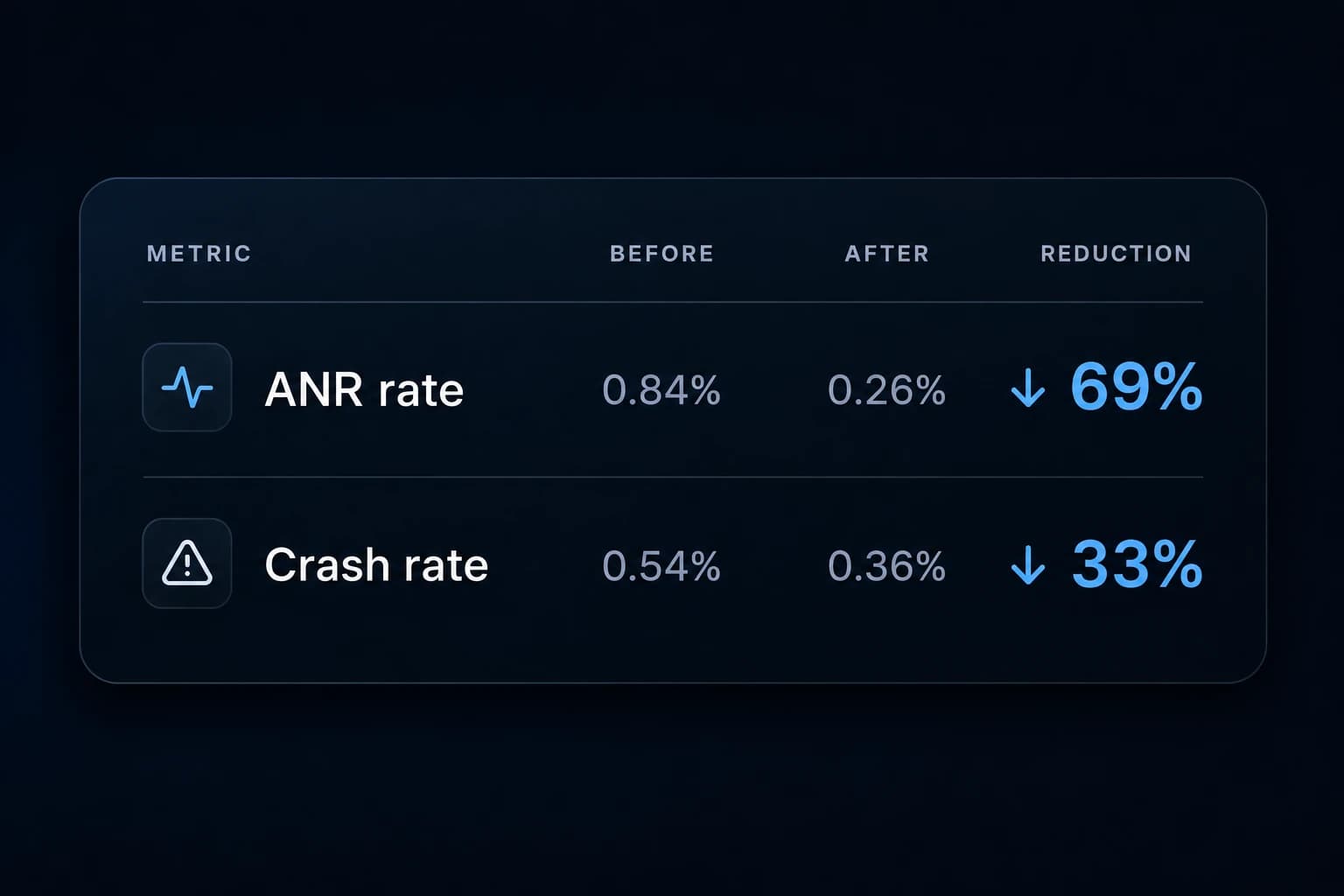 Case study
How we reduced an Android app's crash rate by 33% and ANR rate by 69%
A focused Android stability effort reduced the app’s user-perceived crash and ANR rates by 33% and 69%, respectively.
QA & releaseEngineering
 Portfolio
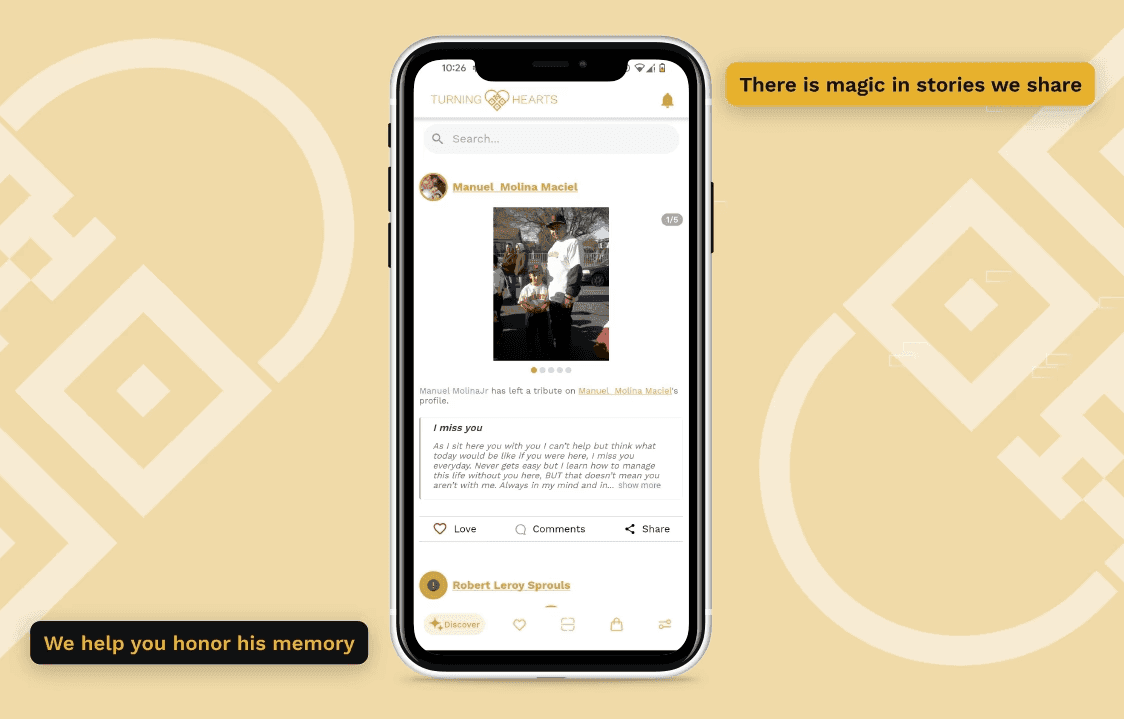
From Prototype to 1.3 Million Users
Turning Hearts is a scalable platform with a discovery feed, Shopify, and mobile app, achieving 1.3M monthly requests in one year.
Product designQA & releaseAI-native delivery
 Case study
Making an AI product reliable enough to ship: a QA and evaluation case
Generating AI ratings was the easy part. Making them reliable enough to ship took a continuous evaluation and QA loop, validated with real users before launch.
QA & releaseEngineering
Discovery before SOW
Discovery comes before every reliable statement of work.
Before we recommend roles, timelines, or pricing, we need to understand your goals, technology stack, product situation, scope, risks, and constraints. Discovery helps us align expectations and create a realistic statement of work.
What discovery documents
- Business goals
- Product goals
- Technology stack
- Current situation
- Required roles
- Timeline expectations
- Budget expectations
- Risks and unknowns
- Success criteria
FAQ
Questions about this service
Choose based on the product requirements and the team that will maintain the app. Native apps may be appropriate when direct platform integration, distinct platform experiences, or demanding performance requirements drive the product. A cross-platform approach may fit when iOS and Android share substantial functionality and the team benefits from shared code. Both approaches can support offline features; the data model, synchronization strategy, and integration requirements determine the work. Neither approach guarantees lower total cost. Compare implementation, device testing, native integrations, and future maintenance, then validate the most uncertain requirement before committing. React Native and Flutter are options within that broader decision, rather than substitutes for understanding the product.
Yes. We support store preparation, submission, and the technical work needed to address review feedback, including resubmission when changes are requested. Your team needs to provide the required account access, business information, content approvals, and any information specific to the app. Before submitting, agree who owns each item on the release checklist and who authorizes the release. Apple and Google make the approval decision, and their review schedules are outside the development team's control. Submission support should therefore include a plan for feedback and follow-up, rather than a promise that an app will be approved by a particular date.
Yes. We build local data storage and sync logic so the app remains usable without a connection and reconciles data once it's back online.
A crash closes the app unexpectedly; an ANR is an Android application-not-responding issue. They need separate investigation. Start with the affected version, devices, user impact, and available diagnostic evidence, then reproduce and prioritize the problem. Android vitals provides crash and ANR signals that can support this work. After a fix, test the affected journey and compare the same metric across comparable periods. A count of events is not interchangeable with a rate. Changes in active users, rollout coverage, or the device mix can affect the comparison. Reporting should state the source, dates, metric definition, and affected population so the result can be interpreted accurately.
Post-launch support can include investigating defects, preparing maintenance releases, updating dependencies, checking compatibility with operating-system changes, and reviewing production diagnostics. The included work, supported versions, working hours, and response expectations must be agreed for your engagement. New features and substantial redesigns should be scoped separately from routine maintenance. Before handoff, confirm who owns store accounts, source code, build access, backend services, and issue triage. Keep a documented release process and a prioritized backlog so fixes can be reviewed and verified. User feedback and store reviews can help identify problems, but support should not promise a particular star rating or eliminate every future crash.